
Video to text
Video to text for subtitles, notes, and editing
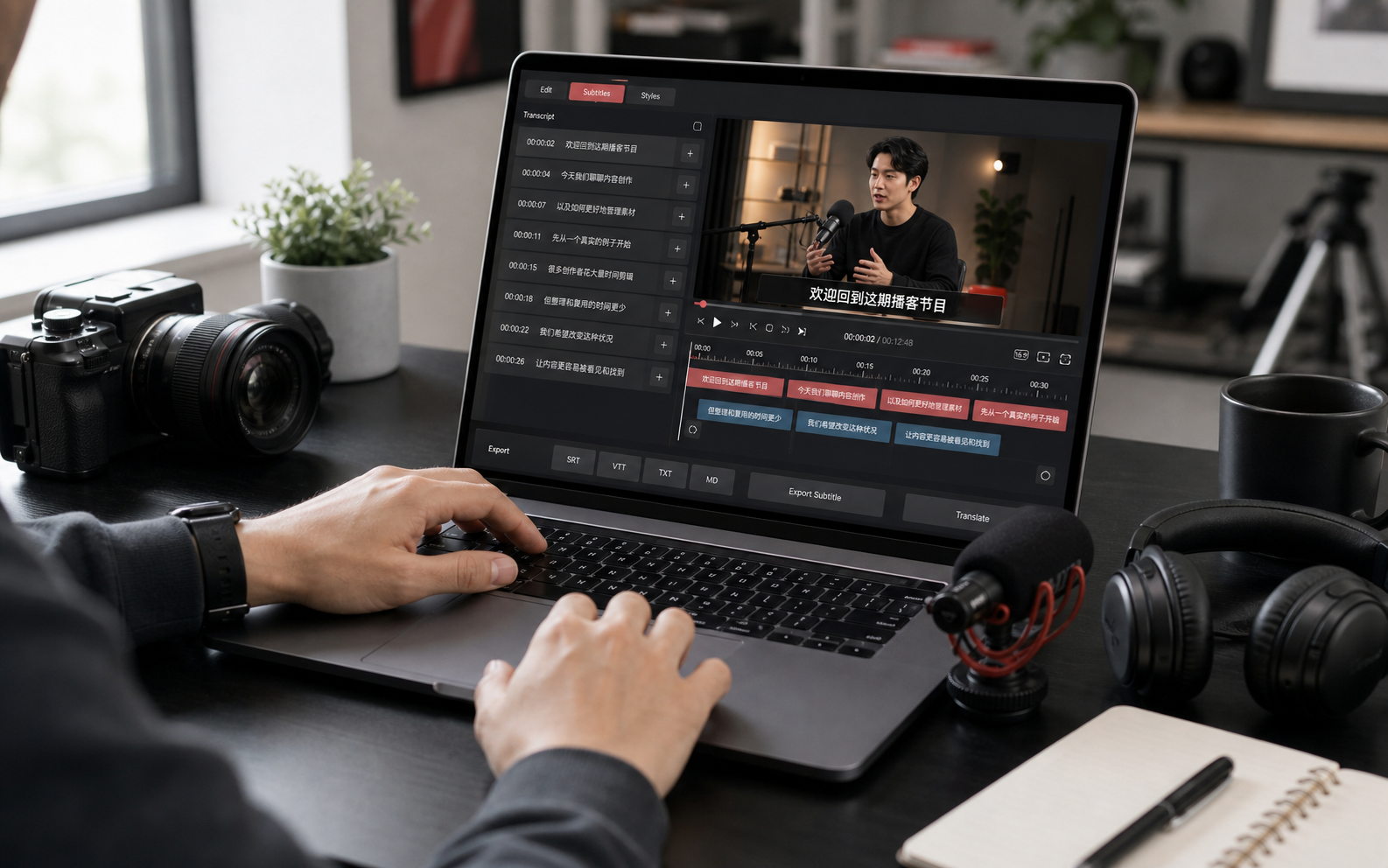
Turn tutorials, interviews, course videos, meeting recordings, and short-form clips into editable transcripts with timestamps and subtitle export options.
Use cases
Where this workflow helps
Short-form captions
Create caption drafts for talking-head clips, tutorials, product videos, and interviews.
Course notes
Turn lectures and lessons into searchable text for study, review, and citation.
Video editing research
Search long recordings by keyword before choosing clips to edit or publish.
How it works
From source media to reusable text
Search visitors need to know what happens after the first click. This workflow keeps the path clear from import to transcript to export.
Upload video
Choose a video file and set the transcription language before creating the task.
Review video and text
Check transcript segments with the media timeline so important moments are easier to find.
Export captions or notes
Export SRT, VTT, TXT, or Markdown for editing, publishing, or research.
FAQ
Questions people ask before starting
Can I review the transcript with the video?
Yes. The workflow keeps the media and transcript together so you can review text with the original video timeline.
Can I generate subtitles from a video?
Yes. Generate timestamped transcript segments, edit them, and export SRT or VTT subtitle files.
Which videos work best?
Clear speech, clean audio, and supported video formats give the best results. Limits depend on your current plan.